Sembix Strata™ · Launch · Govern
“View as” lets admins see Strata as anyone does, so everyone gets the right access

Jack Histon, Co-Founder & CTO
Until now, when someone said they couldn't see a project, or a new team member needed the right access on day one, an admin could only ask that person or work through the permission rules by hand. “View as” lets the admin see Strata the way that person does.
Blocked people get back to work without admins trading screenshots
Admins can now see Strata exactly as a named team member sees it, so a missing page is found and fixed without pulling either of them away from their work for long. Say a team member reports that a page they need is missing. Before, the admin either asked for screenshots or traced roles and permissions by hand, and both took longer than the question deserved. Now the admin opens that person's view from the list of people on the project, or from the list of everyone in the organisation, and Strata shows the menus, pages and buttons that person sees, and what they are allowed to do.
The admin sees the gap for themselves, changes the person's role and gets back to their own work. The person who reported it gets an answer without having to explain the problem twice, and nobody has to send another "can you see it now?" message.
Sponsors and customers see what you intend, without the check changing anything
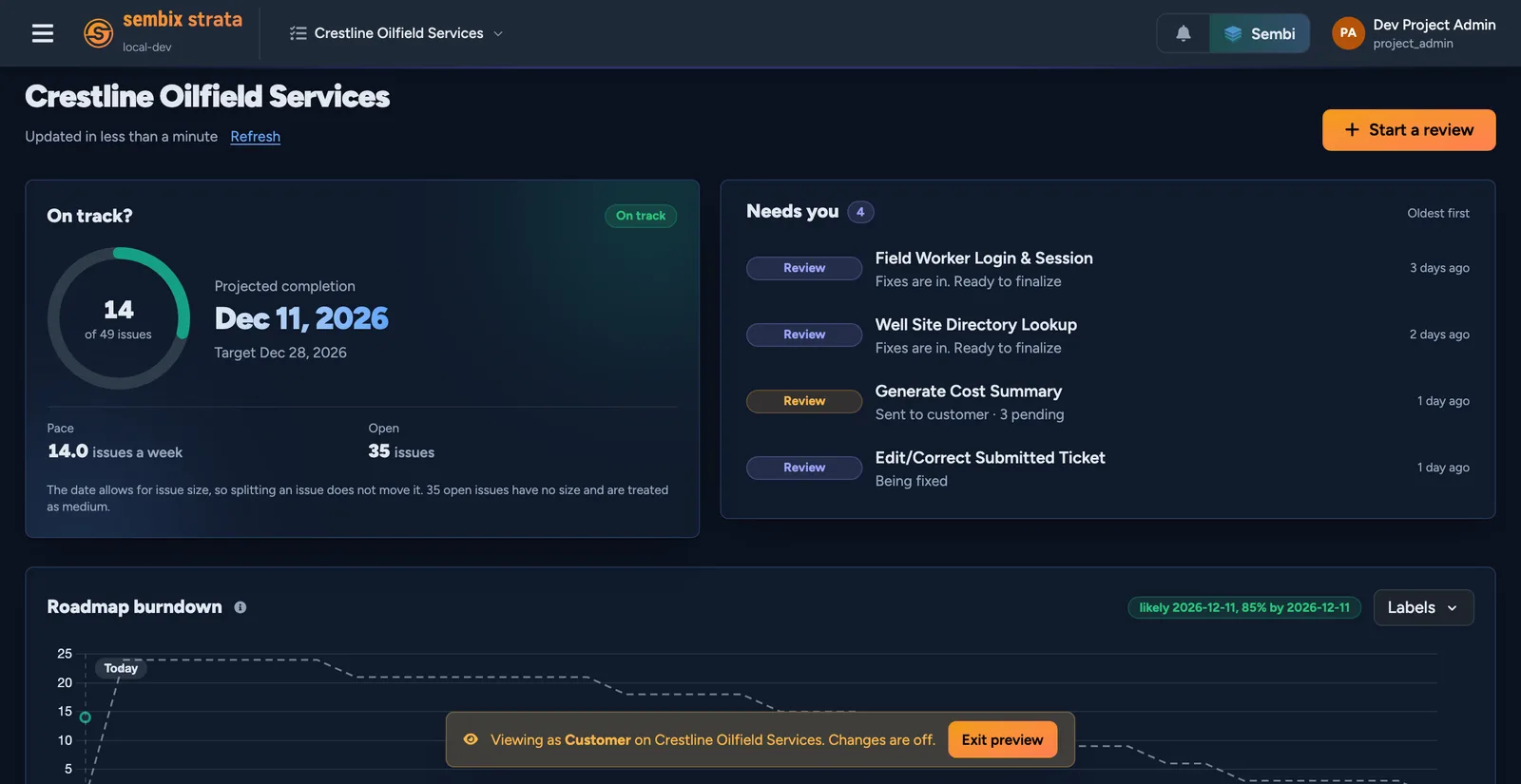
Admins can now preview any project role, meaning the level of access someone holds on a project, so sponsors, customers and new joiners get the access you meant them to have. Picture a project admin getting a project ready for its sponsors. Before anyone joins, instead of trusting their reading of the permission rules, they preview the role those sponsors will hold and look at the menus, pages and buttons it opens up. If the role shows too much or too little, they find out now, not when a sponsor stumbles on it later.
A preview looks but never acts: it can't change anything on anyone's behalf. While it is on, a banner on every page names the role or person being viewed, with an Exit button that returns the admin to their own view. That makes it hard for an admin to forget whose view they are in, or to mistake a preview for their own account.
“View as” only lets admins look. To change what a role allows, or who holds it, admins work in the same places they already use to manage people. Bringing a new person into a project still needs an organisation admin; a project admin can change the role of someone already on it.
Getting started
Available from Strata 3.209.0. If you're not sure which version you're on, your Strata administrator can tell you.
“View as” is for organisation and project admins, and sits where they already manage people. Ask your admins to start with the roles and people whose access matters most: sponsors, customers and new joiners. When a preview shows a gap, they change the role in the same place they already set people's access, then preview again to confirm the fix.